
WordPress maintenance
WordPress 7.0.1 is a short-cycle maintenance release, not a redesign project. Small businesses should still treat it as a chance to check backups, forms, SEO-critical pages and update discipline before the next larger release cycle.
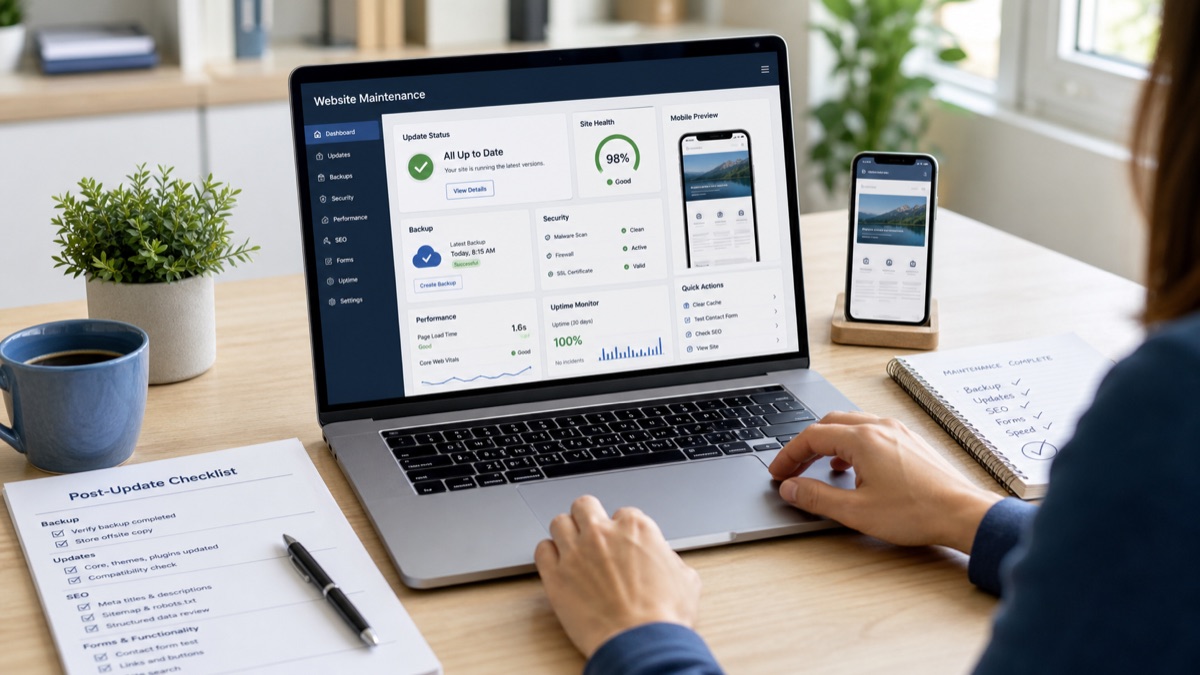
Quick answer: update WordPress 7.0.1 after confirming a recent backup, then check the pages that generate leads: homepage, service pages, contact forms, menus, media, mobile layout, indexability and key internal links. Do not postpone a minor maintenance release indefinitely, but do not click update blindly on a business-critical website without a rollback route.
What changed in WordPress 7.0.1?
WordPress announced version 7.0.1 on 9 July 2026. The release note describes it as a minor maintenance release with fixes across WordPress Core and the Block Editor, including areas such as the editor, admin interface and media handling.
For a brochure website, local-service website or lead-generation website, that usually means the update is not about new marketing features. It is about keeping the platform stable before larger changes arrive later in the release cycle.
The update decision for a small business
If your website has automatic background updates enabled, WordPress says the update process can begin automatically for minor releases. That is convenient, but it does not replace owner checks. A lead-generation website should be verified after the update because small layout, plugin or caching issues can cost enquiries quietly.
Use a simple rule: update quickly when the site is standard, backed up and lightly customised; schedule the update when the site has complex forms, booking tools, multilingual plugins, WooCommerce, custom code or a recent redesign.
| Website situation | Recommended update approach | What to check afterwards |
|---|---|---|
| Simple company website | Update after confirming the backup and low-traffic timing. | Homepage, contact page, menu, mobile header, images and contact form delivery. |
| SEO or GEO-focused service website | Update, then check ranking-critical pages and structured content blocks. | Service page headings, internal links, canonical URL, index/follow status and key schema output. |
| Website with booking, payments or many plugins | Use a staging copy or maintenance window before updating production. | Checkout or booking flow, email notifications, tracking scripts, speed and error logs. |
A practical WordPress update checklist
The safest update workflow is short and repeatable. Keep it simple enough that it actually happens every time.
Check that both files and database were backed up recently, and that the backup is restorable.
Avoid peak enquiry hours, campaign launches and moments when nobody can respond to a problem.
Use Dashboard > Updates for normal one-click updates when your hosting setup supports it.
Clear page cache and CDN cache only after the site is stable, so visitors see the corrected version.
Submit the contact form, click primary calls to action and verify that notification emails arrive.
Review canonical tags, index/follow status, sitemap visibility and internal links for the pages that matter.
Where SEO problems usually appear after updates
Most WordPress maintenance updates do not break SEO by themselves. Problems usually appear around the update: a caching plugin changes output, a theme template shifts a heading, a form plugin stops sending leads, or an SEO plugin setting is not checked after maintenance.
For small businesses, the priority is not auditing every URL. Start with pages that connect directly to revenue: website design service pages, SEO and GEO optimisation pages, location pages, top blog posts and the contact page.
Important limitation: an update checklist does not replace a security audit or a full technical SEO audit. It is a practical maintenance pass that catches common breakages before customers or search engines do.
What to document after the update
A useful maintenance note does not need to be long. Record the version updated, date, backup location, plugins changed, pages tested and any issue found. That note helps the next update go faster and prevents repeated guessing.
If you work with an external website partner, ask for the same evidence: update completed, backup confirmed, core paths tested, SEO-critical pages checked and any follow-up clearly listed.
When to ask for help
Ask for help before updating if the site has custom checkout, booking, multilingual workflows, custom theme code, fragile integrations or previous failed updates. Ask for help after updating if forms stop sending, mobile layout changes, media disappears, admin screens show errors, or traffic-critical pages unexpectedly change their title, canonical or indexability.
TrendTransformers supports small businesses with website, SEO and AI search visibility services, including WordPress maintenance checks, page-level SEO review and practical improvement roadmaps.
Frequently Asked Questions
Should small businesses update to WordPress 7.0.1 immediately?
Most small businesses should update promptly after confirming a working backup and choosing a low-risk update window. More complex sites should use staging or a supervised update window.
Can a WordPress maintenance release affect SEO?
The release itself is usually not an SEO event, but related plugin, cache, theme or form issues can affect search-critical pages. Check indexability, canonical tags, internal links, headings and lead forms after the update.
What should be tested after a WordPress update?
Test the homepage, core service pages, contact page, forms, menus, mobile layout, images, tracking, canonical URL, robots meta tag and sitemap visibility.
Do automatic background updates remove the need for maintenance checks?
No. Automatic updates reduce manual work, but a business website still needs verification after updates, especially when enquiries, SEO visibility or paid campaigns depend on the site.
Sources
Need a safer WordPress update process?
TrendTransformers can review your WordPress setup, check the pages that bring enquiries, and create a practical maintenance routine for your website and SEO visibility.